This week we're doing one thing: cutting off the stuff that keeps showing up in your inbox when you never really asked for it.
You didn't sign up for most of it on purpose. You bought something online. Boom — you're on a list. You entered a giveaway once. Now you get emails every Tuesday from a company you forgot existed. You signed up for a free guide two years ago and never opened a single email since.
None of it felt like a big deal at the time. But it adds up. Now your inbox is full of stuff you scroll past every day and it's low-key exhausting. Not “I need to lie down” exhausting. More like the kind of tired that comes from a hundred tiny things that don't matter but still take up space.
This week's challenge takes five minutes. You're not cleaning your whole inbox. You're not building a filing system. You're just hitting unsubscribe on a few things that don't belong in your life anymore.
That's it. Small, but it feels good. I promise.
📖 According to the U.S. Senate Special Committee on Aging, clutter — both physical and digital — can lead to increased stress, decreased safety, and diminished quality of life for older adults. The 2024 report highlights how overwhelmed environments can contribute to cognitive strain and decision fatigue. Read what the U.S. Senate says about how clutter affects your mind.
Why This Feels Harder Than It Should
Most unsubscribe articles treat your inbox like a simple mess to clean up.
But if you're in midlife, your inbox isn't just clutter. It's a timeline.
There are emails from your kids' old school. Updates from a job you left years ago. Newsletters from a version of you that was really into meal prepping, or learning French, or building a side hustle that never quite happened.
Hitting unsubscribe on some of those feels oddly personal. Like you're officially closing a chapter.
That's real. And it's worth naming because that's probably why you keep skipping it.
But here's the thing: keeping those emails doesn't keep the memory. It just keeps the noise.
This Week's Focus: Stop What's Coming In
Last week we cleared what you could see — files, folders, visual clutter. Week 3 » File Clutter Detox
This week we're working on what quietly flows in every single day.
You can't organize your way to a calm inbox if you're still letting in 30 emails a day that don't belong there. So before we sort anything, we stop the flood.
🛑 STOP — Notice which emails you're letting in out of habit
🧹 SORT — Let go of senders you've outgrown
⚙️ STREAMLINE — Make space for messages that actually matter
Your 5-Step Challenge: Unsubscribe From What You've Outgrown
1. Search “Unsubscribe” in Your Inbox
Type the word unsubscribe in your inbox search bar.
Every email in those results has an unsubscribe link somewhere inside it. It's usually at the very bottom in a tiny gray text. Click it, confirm, done.
Don't try to go through all of them today. Just pick five. Ten if you're feeling it.
🔹Look for: stores you haven't shopped at in a year, apps you deleted, services you cancelled, blogs you never read anymore [except this one 😁].
One thing most people don't know: if you're on Gmail, you can also click the small “Unsubscribe” link that appears right next to the sender's name at the top of the email. You never have to scroll to the bottom. It's right there, so use it.
2. The Midlife Inbox Audit (This Is the Real Work)
Open your inbox and scroll slowly. For each sender, ask yourself one question:
“Does this still belong to my life right now?“
Not your life five years ago. Not the person you were trying to become. Right now.
Here are some common ones midlife women find hiding in their inbox and the honest question to ask about each:
🔸Parenting newsletters / school updates: Are your kids actually still in that school? In that age group? Do they even live with you anymore?
🔸Old employer or professional association emails: Did you leave that job? That industry? Those goals?
🔸Health and fitness emails you signed up for during a “fresh start”: Are you actually following that program, or does seeing it just make you feel guilty?
🔸Sale emails from stores you haven't visited in a year: Be honest. Are you saving money, or are you just being tempted by stuff you don't need?
🔸Emails from a relationship that ended: Whether it's a job, a marriage, a friendship, or a community you left; if it still shows up in your inbox and it hurts a little to see it, you're allowed to let it go.
🔸Newsletters from a hobby you tried once: The sourdough phase. The watercolor phase. The “I'm going to learn to sew” phase. No judgment. Truly. But you don't need the weekly reminder.
You're not erasing those chapters. You're just stopping the daily delivery of them.
3. The “One Inbox Rule” Going Forward
Here's a habit that makes a real difference over time:
Every time a non-essential email lands in your inbox from now on, before you delete it, unsubscribe first.
It takes five extra seconds. But it means the email never shows up again. Deleting it just puts you on cleanup duty tomorrow. Unsubscribing ends it.
This one habit, done consistently for a few weeks, does more than any inbox-zero session ever will.
4. The Guilt-Free Unsubscribe Test
If you're hovering over an unsubscribe button and feeling weirdly reluctant, ask yourself this:
“When did I last open an email from this sender on purpose?“
If you can't remember, that's your answer.
You're not being disloyal to a brand. You're not hurting anyone's feelings. You're just deciding what gets your attention.
And at this point in your life, that's a completely reasonable thing to protect.
A Note About Unsubscribe Tools
You may have heard of tools like Unroll.me or Clean Email that promise to mass-unsubscribe you from everything at once.
They work. But a heads up: most of them scan your inbox and, in exchange, they sell data about your email subscriptions to third parties. That's how they stay free.
It's not the end of the world, but it's worth knowing before you hand over inbox access.
If that doesn't bother you, go for it. If it does, then manual works just fine. Five a day for a couple weeks adds up faster than you'd think.
✒️ Your Week 4 Digital Reset Journal Prompt
Which emails in your inbox belong to a version of you that no longer exists?
Think about the last two or three years. What life phases, jobs, relationships, or “fresh starts” are still showing up in your inbox even though you've moved on?
You don't have to process all of it today. But noticing it is a start. Sometimes our inbox is the last place we officially close a door.
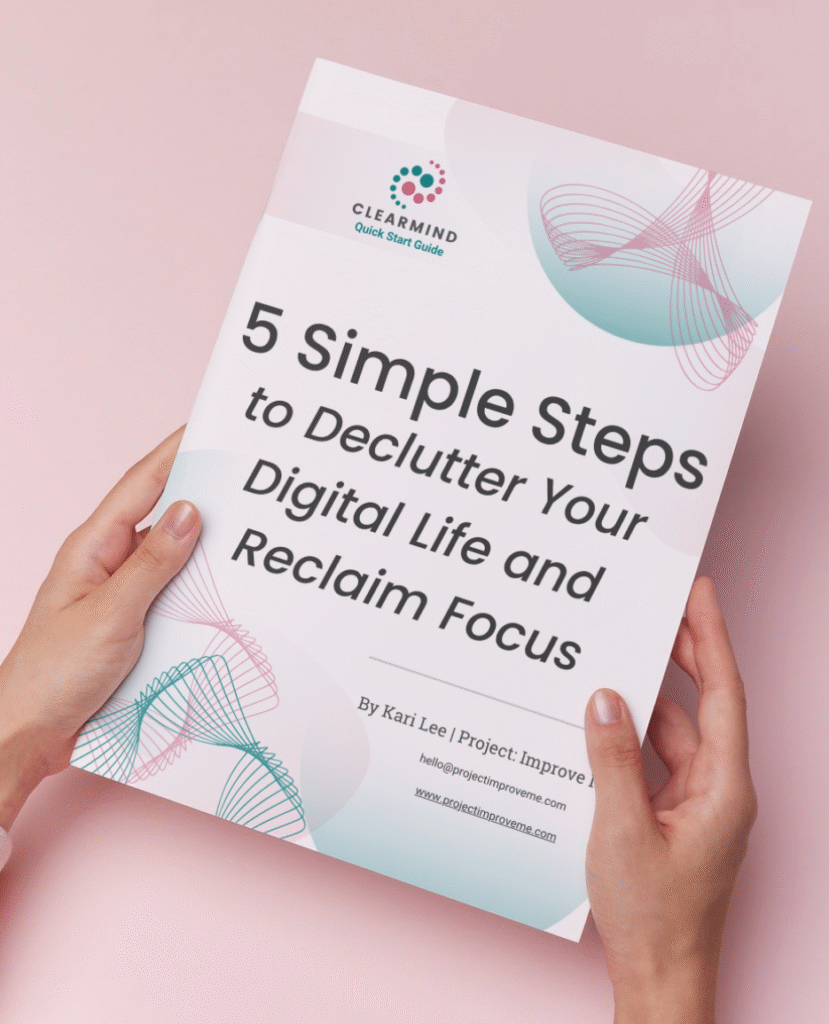
✨ Start with the ClearMind Quick Start Guide
If this post made you realize your digital life has gotten a little crowded, that’s completely normal. Most of us never learned how to manage all the digital stuff that slowly piles up.
The ClearMind Quick Start Guide was designed to help you take the first few steps without overthinking it. It walks through five simple actions that can start clearing digital clutter in less than 30 minutes.
You can download the guide and unlock the Freebie Vault by signing up below.
If you’d like a few extra small wins after that, the ClearMind Quick Wins Toolkit includes short checklists for things like inbox overload, photo clutter, and scattered files.
But don’t worry about doing everything at once. Just start with one small fix.
Want to come back to this later?
You’ll also get occasional updates and access to my freebie vault.
No spam, just helpful stuff.
🏅My Digital Win This Week (from Kari)
I'll be honest, this week hit different for me.
When I searched “unsubscribe” in my inbox, I found emails from my old employer. From a networking group I was part of when I was trying to climb a ladder I eventually decided I didn't want to climb anymore. From a financial newsletter I subscribed to when I was in full panic mode about money and just wanted someone to tell me what to do.
I still get a little weird seeing that sender's name pop up. It's tied to a harder stretch of my life.
But I unsubscribed. And it felt less like deleting something and more like sayin: okay, that's done. I'm not going back there. I don't need the weekly reminder that I used to be in that place.
Your inbox carries more than you realize. Clearing it out is a quiet kind of closure.
Week 4 FAQs: Digital Declutter, Clean Inbox Edition
Yes, but not in a “fixed it” way. Think of it like stopping a leaking faucet. You still have water on the floor, but at least it stops getting worse. The inbox cleanup comes later. This week is about stopping the flood first.
You can always resubscribe. Every brand will happily add you back. The unsubscribe is almost never permanent if you change your mind. So give yourself permission to let go.
Some lists let you change your frequency, so look for a “manage preferences” link near the unsubscribe button. You might be able to switch from daily to weekly, or weekly to monthly. That's a solid middle ground.
Sometimes, yes. Reputable senders honor unsubscribes within 10 business days by law (in the U.S.). If they keep emailing you after that, you can mark them as spam and your email provider will start filtering them out automatically.
Want a few extra small wins?
The ClearMind Quick Wins Toolkit includes 12 simple checklists you can finish in 5–20 minutes.
👉🏼 Check it out here.
CONTINUE THE CLEARMIND DIGITAL DECLUTTER CHALLENGE
Start from the beginning here 👉 ClearMind Week 1: Digital Declutter Challenge Intro
Or, check out the next steps:
Week 5: Bookmarks
Week 6: Downloads Folder
Save or Share This Post on Pinterest:

Hi! I’m Kari.
I started Project: Improve Me in 2025 to share simple ways midlife women can clear digital clutter, organize life’s details, and make space for what matters most. As a single grandma working in accounting, I know how overwhelming digital life can get. This project is where I share the small systems and habits that help me stay organized and calm.